Docs
Run it, read the dashboard, run tasks.
Caprock is a single Go binary. Start the daemon, open the dashboard, and every claude session on your machine shows up live. Installing? See the install guide.
1Start
caprock up          # daemon + dashboard at http://127.0.0.1:4173
claude              # any terminal — it shows up on the Now screen
caprock down        # stop; your SQLite data is kept
On first run Caprock asks twice before touching ~/.claude/settings.json. You can say no to either, and both edits are non-destructive — the file is backed up first.
- The hook shim — what makes activity live. Say no and transcript tailing still shows you everything, a few seconds delayed. Remove it later with caprock hooks uninstall.
- The status line — sets statusLine.command so the Cost screen can show your plan-limit windows (5h/7d, Pro and Max). Skipped entirely if you already have one of your own; caprock statusline install | uninstall adds or removes it later.
2The screens
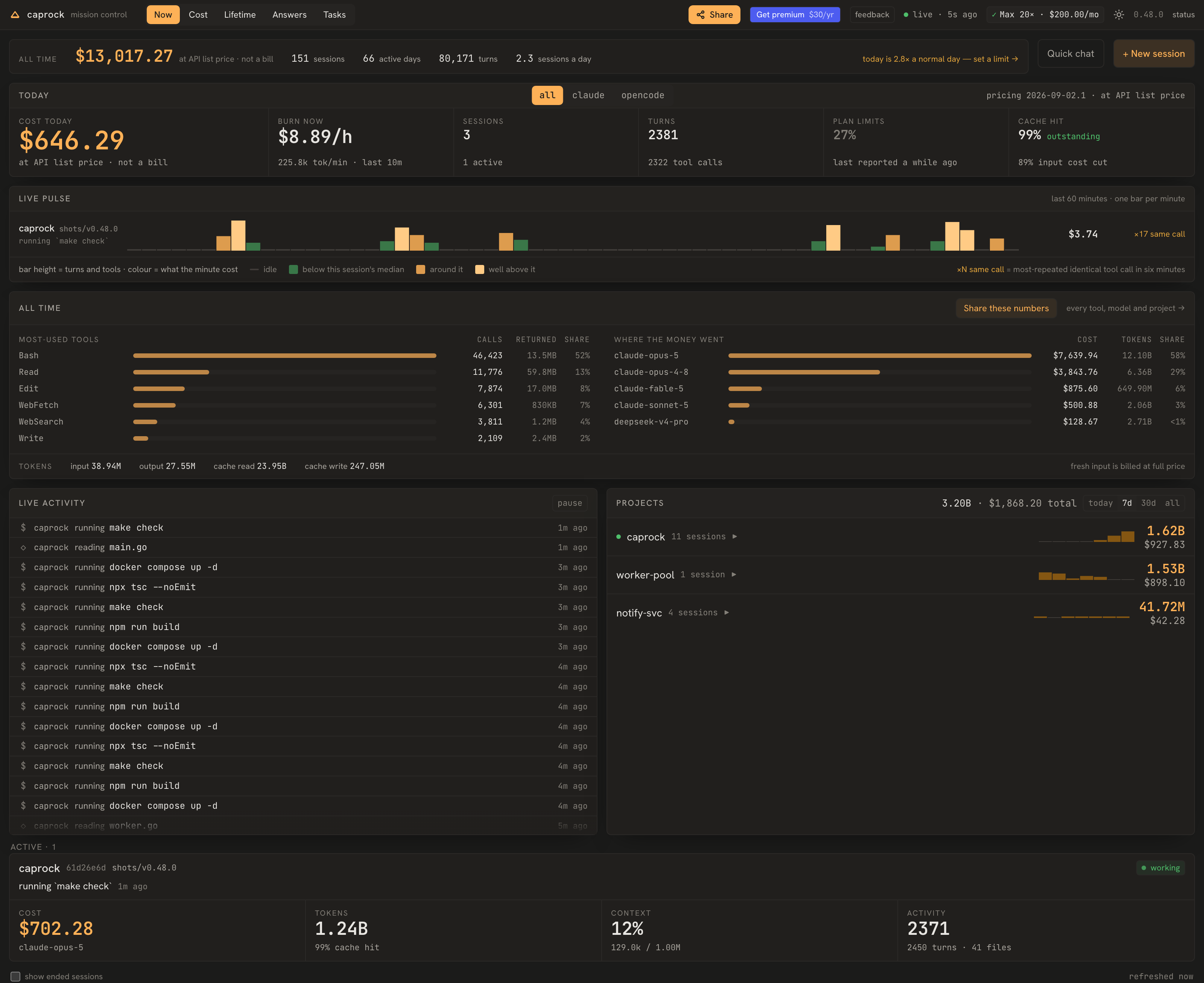
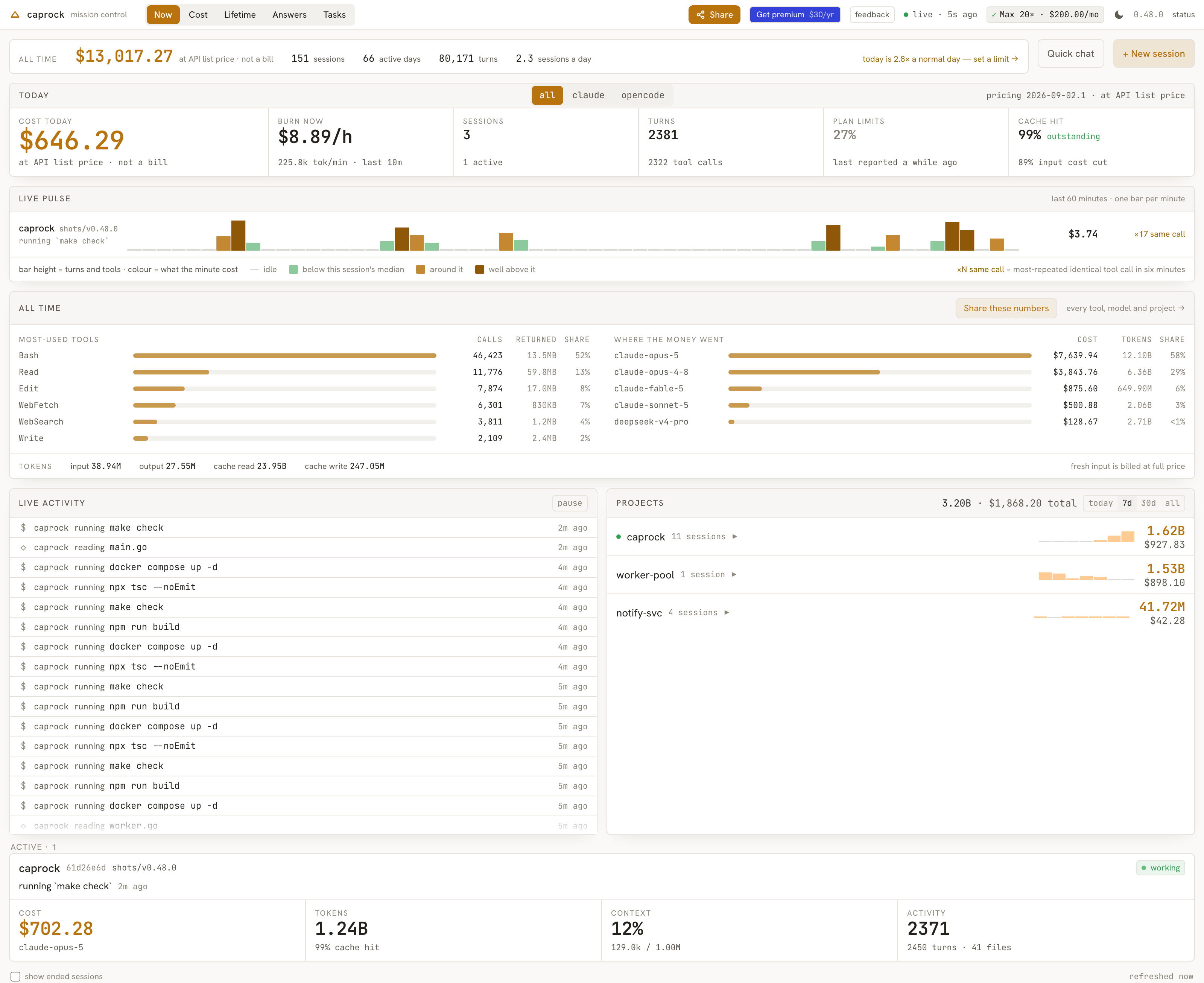
- Now — The useful waiting screen.
- Memory — Everything the agents have told you on this machine, searchable across every session and every repository — the decision you cannot remember the wording of, the error you fixed last month, the reason you chose the other approach.
- Session Detail — Open any session, including one that finished days ago, and walk it from the start: what was run, what it cost, what Claude said.
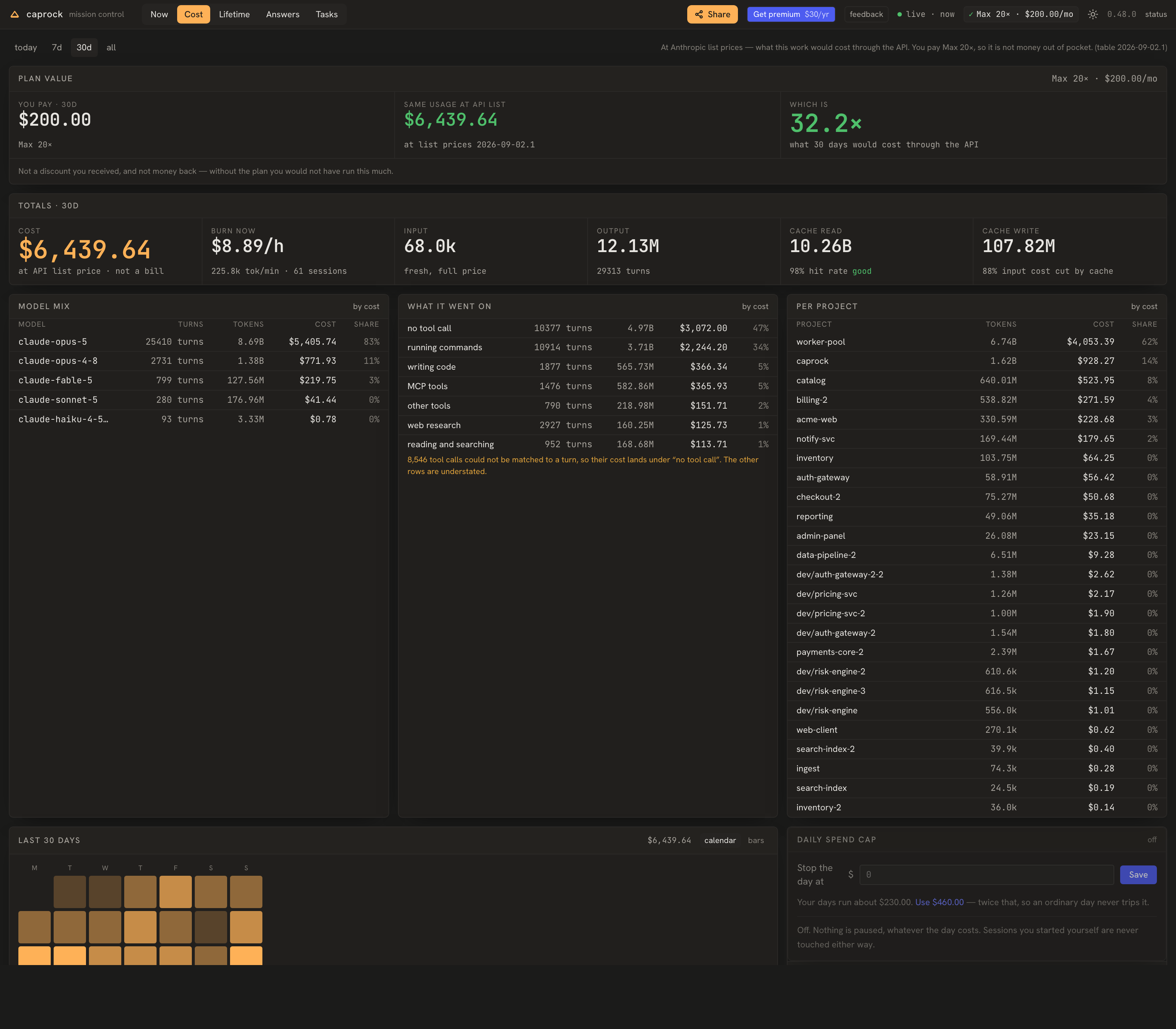
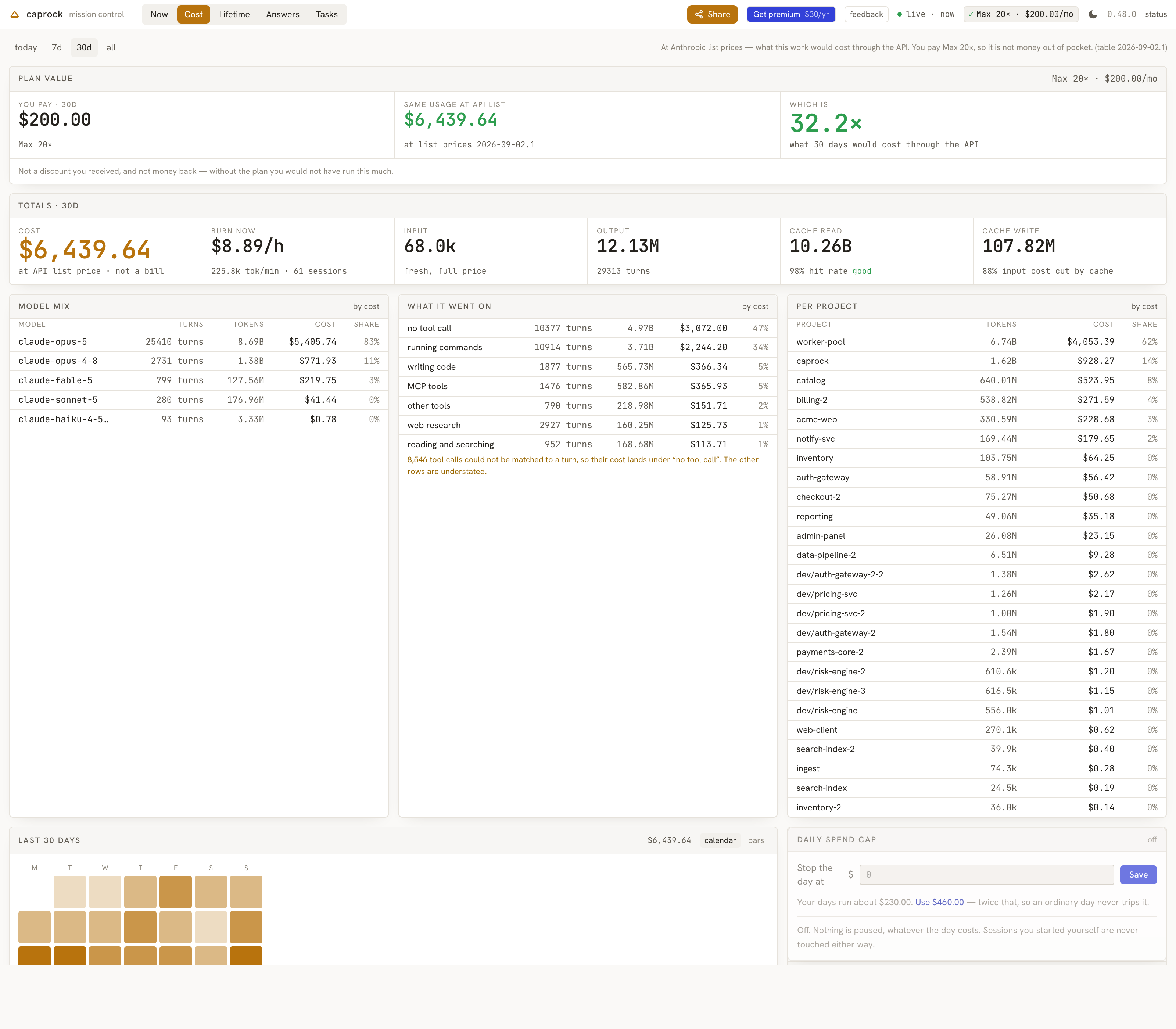
- Cost & Burn — What your usage is worth: state your plan and see the same work priced at API list rates against what you actually pay.
- What it went on — A third cut of the same spend, beside model mix and per project: what the money was actually doing.
- Projects — Spend per repository, each row with a sparkline of when it happened.
- History — Everything you ever ran through Caprock, in one place: cost per project, per day and per model, tool-usage distribution, average session length, and cache hit-rate — the long view your terminal never kept.
- Answers — The prose Claude actually wrote — its reasoning and the “here's what changed, here's what I still need from you” that otherwise lives only in terminal scrollback.
- Tasks — An unattended task runner with a test gate, off until you turn it on.
3OpenCode
Caprock reads OpenCode sessions as well, on the same screens. A machine running more than one agent has its spend split across two tools that each see half of it; here the projects list, the history and the cost add up over both, and OpenCode rows carry an oc mark so you can still tell them apart.
Or see one at a time. The Now screen carries all / claude / opencode / geminiin the middle of its header, and it applies to the whole screen — today's totals, the live pulse, the activity feed, the projects list and the session cards all answer the same question. It appears only on a machine that runs more than one.
Nothing to configure. If OpenCode is installed, Caprock finds its database and reads it — no shim, no settings file to edit, and the database is opened read-only. Sessions from before you installed Caprock are included, because OpenCode keeps its own history. Costs are OpenCode's own figures rather than recalculated here, so they match what it reports.
What is not there yet. Observation only: the dashboard cannot start, steer or stop an OpenCode session, and the task runner does not work with it. Activity refreshes every few seconds rather than instantly, so the Now screen lags a little behind a running session; Cost and History are unaffected. Verified on macOS — it builds and its tests pass on Linux and Windows, but it has not been run on either.
4CLI
caprock up [--hive <dir>] [--repo <dir>]
caprock down
caprock status                                 # includes which task queue is active
caprock tasks                                  # the board
caprock task create --title <t> --done-criteria <cmd> [--budget <usd>]
caprock hooks install | uninstall | status
caprock statusline install | uninstall         # plan-limit windows on the Cost screen
caprock service install | uninstall | status   # start on login, survives a reboot
caprock report                                 # send the weekly report now (premium)
caprock license [set <key> | clear]            # activate a paid plan
5Control
From the dashboard, New session spawns a claude you can type into, pause, resume or kill — only for sessions Caprock started. External sessions are observe-only; Caprock never signals a process it didn't start.
6Run tasks unattended (advanced, opt-in)
This is the one part of Caprock that starts sessions on its own, so it is off unless you ask for it. It takes two buttons on the Tasks screen, in this order:
- 1Turn on the task runner — creates the queue directory and arms the board without restarting the daemon. It confirms first, naming the queue directory and the repository it is about to use. caprock up --hive <dir> --repo <dir> does the same from a terminal.
- 2Start orchestrator — spawns the session that assigns queued tasks to workers. Nothing runs until you press it, and pressing it over an empty board has nothing to assign, so write a task first.
A task carries done_criteria: plain commands — tests, typecheck, lint. Caprock runs one Claude Code session per task, each in its own git worktree on a caprock/ branch, so your own working tree is never touched. When a session reports done, Caprock runs the commands, not the agent. Every command exits 0 and the task reaches Done; any command fails and the output bounces straight back to try again; after three rounds it stops and asks you. A task with no done_criteria cannot be verified, so it is never marked done on a worker's say-so.
done_criteria are not sandboxed. They run in a real checkout of your repository, with your own privileges, unattended, on a five-minute ceiling per command — so treat them as commands you are running yourself: go build ./... will leave a binary behind exactly as it would in your own tree.
When a task is done, its card shows the diff, the checks that passed, the branch, and the git command that merges it — Caprock never writes to your branches itself.
Before you turn it on:
- Workers run with permission prompts skipped, in a worktree of your repo, so a task body is acted on without a further confirmation from you. Give each task a budget.
- Use it for independent tasks only. Nothing here merges branches, and nothing notices two workers editing the same file. Give concurrent tasks separate ground.
7Trust
The daemon binds 127.0.0.1 only. No telemetry, no account, all data on your disk. The one thing that can reach the network is an optional check for new releases — off until you turn it on, sending nothing about you, and it never installs anything itself. Costs are at Anthropic list prices (dated in pricing/pricing.json); on a flat plan they read as an equivalent, not a charge. Source and roadmap: GitHub.