caprock

Free · local · open source

Your Claude has been running for 40 minutes. Doing what?

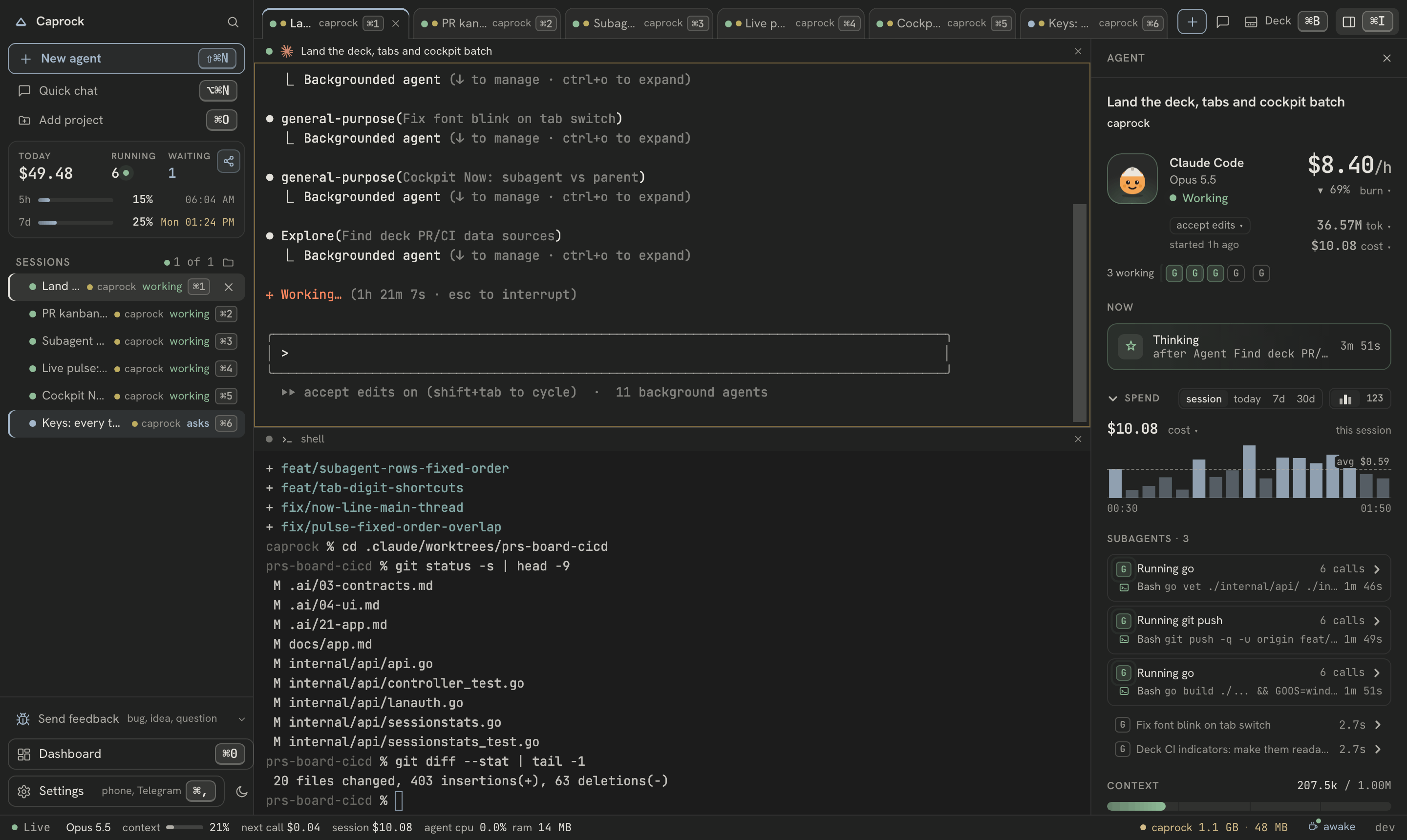
A local dashboard for every claude session on your machine, including the ones you start yourself: what it is doing, what it cost, which project it went to.

Paste into the agent you already have open.

Claude CodeOpenCodeGemini CLI

In 96 days I ran $11,442 of Claude usage on a $200/month plan — my own numbers, and what “not a saving” means.

Yours are one command away — share them if they surprise you.

The Caprock dashboard: today's cost and burn rate, a live pulse per session, the activity feed, cost per repository, and the all-time tool and model breakdownThe Caprock dashboard: today's cost and burn rate, a live pulse per session, the activity feed, cost per repository, and the all-time tool and model breakdown

Every session on the machine — what it is doing, what it has spent, which repository it went to.One real machine. Repository names and the activity text are replaced; the numbers are not.

Remember

Open a folder you have worked in and Claude already knows where you stopped. Everything the agents told you stays searchable — across sessions, folders and months.

This folder only, never between them; quick chats get nothing, and a checkbox turns it off.

127.0.0.1:4173
claude · acme-apiopened just now
Where this folder was left, 2 days ago —
“The retry lives in the client, not the handler.
Two attempts, then it gives up: a third made the
timeout worse rather than better.”
right, so where were we with the retries
You capped it at two on purpose. Want me to
pick up the backoff work, or leave it?
no command · this folder only · a checkbox turns it off

Example figures — the real ones are yours, on your machine.

Observe

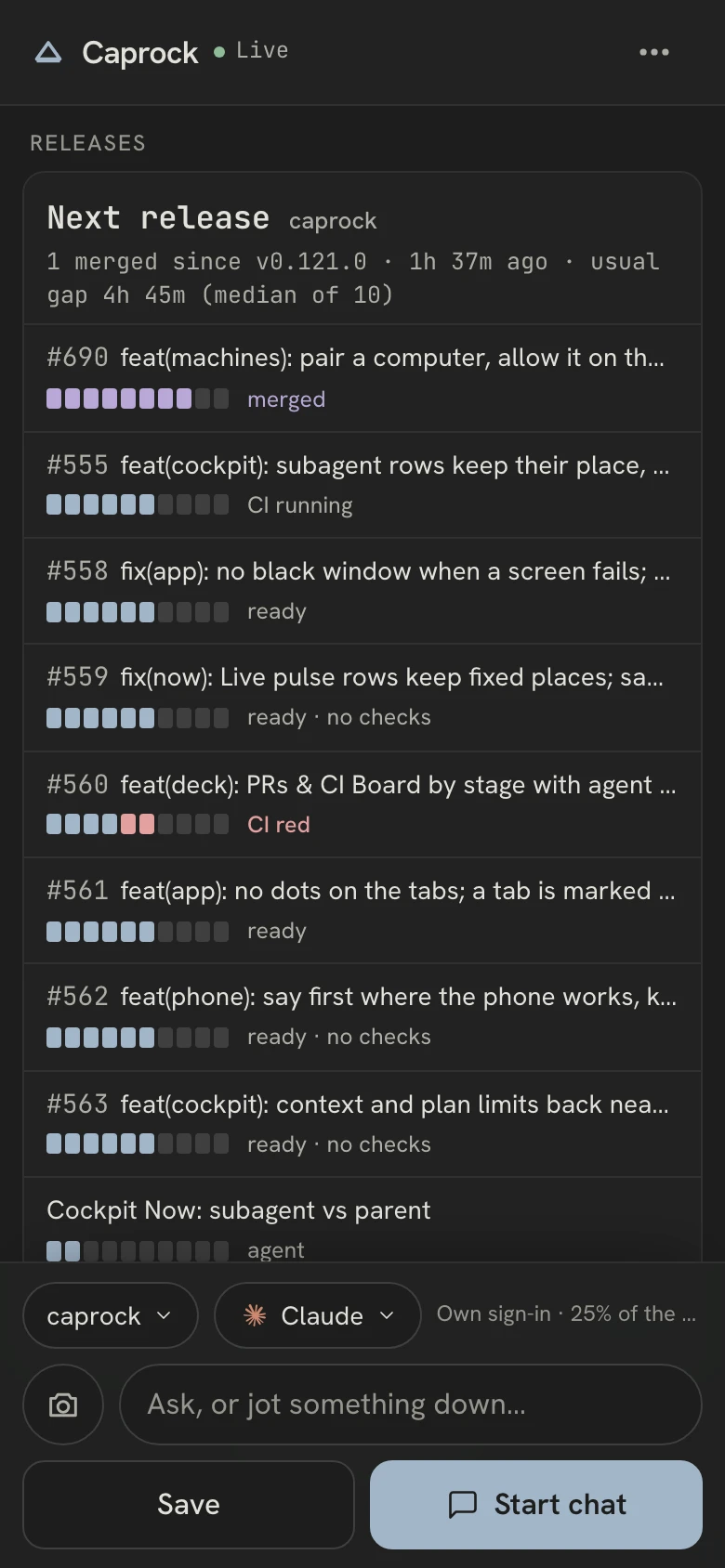
Every session, live. What it's doing, what it's spending, whether it's stuck.

127.0.0.1:4173
caprock8e968de8 · master
working

resizing the dashboard · now

Cost
$5.91
opus-4.8
Tokens
903K
99% cache hit
Context
18%
176K / 1M
Activity
2078
turns · 80 files

Example figures — the real ones are yours, on your machine.

Attribute

In a monorepo, see what each part costs — not just the repo. Charged by the files Claude actually touched.

127.0.0.1:4173
Projects30d
amarketer
41.2M
$3,426
by files touched · share of this repository’s tokens
/app
25.1M 61% · $2,090
/.ai
2.8M 6.8% · $233
/app/tests
1.1M 2.8% · $96
outside the repository
10.7M 26% · $891

A turn counts toward the directory of the most recent file it touched, and keeps counting there until work moves elsewhere. Each turn goes whole to one row — never split — so the rows add up to the repository’s total exactly.

Example figures — the real ones are yours, on your machine.

Work in it

A real terminal for any session Caprock started — type to it, read what it wrote, run a command. Spawn, pause and kill them from the browser too.

Never a session you started yourself: Caprock only types into processes it spawned.

127.0.0.1:4173
terminal · acme-apiowned by caprock
what does this handler actually do?
Reading internal/api/api.go…
It resolves the range, then runs four queries:
totals, tool distribution, the summary, and
the daily series.
$go test ./internal/api/
ok github.com/dspv/caprock/internal/api 0.42s

Example figures — the real ones are yours, on your machine.

Run tasks · opt-in

Give it a task and the commands that must pass. Caprock runs the commands itself — done means green, not claimed.

One session per task, prompts skipped — set a budget on each.

127.0.0.1:4173
In progress1
Add Gcd(a,b)
worker-3$0.31
Verifying1
Add Clamp(x,lo,hi)
worker-1$0.55
Done2
Add Sub(a,b)
worker-1$0.61
Add Mul(a,b)
worker-2$0.55

Nothing reaches Done until its done_criteria pass — verified, not claimed.

Example figures — the real ones are yours, on your machine.

No setup

Install it and your history is already there.

Caprock reads the transcripts Claude Code already writes, so the dashboard is populated on first run — every session you have ever run, not just the ones from now on. Pick the window you want to look at.

127.0.0.1:4173
Last 30 days
$359.63
API-equivalent · 3 models
opus-4.8 · $284
sonnet-4.6 · $52
haiku-4.5 · $23

Example figures — the real ones are yours, on your machine.

Why you can trust it

Local by construction.

  • The daemon binds to 127.0.0.1. No telemetry, no account — your data is a SQLite file on your disk.

  • The hook shim can never break a Claude Code session: every error path exits silently within a second.

  • It never types into a process it did not start. Sessions you started yourself are observed, never driven.

  • No invented numbers. Prices are sourced with a date; a forecast is labelled a forecast.

  • macOS, Linux and Windows, tested on all three from day one.

~40 MB RSS while backfilling 1,414 transcripts (171k events), dropping to ~30 MB with CPU near zero when idle. Single static binary, no CGO. Measured 2026-08-18.

not just tracking spend, but seeing what's really happening on your projects.PyCharm restarts and the session is gone. Caprock takes that pain away.
Vladimir Konov
Vladimir KonovSoftware Engineer · Rust, distributed systemsread the whole note

Install

One binary. Nothing leaves your machine.

Apache-2.0, open-source. The daemon binds 127.0.0.1 only; telemetry is off and release checks are opt-in. Read it before you run it.

Windows, Linux, Go, or from source →

FAQ

Questions.

What does Caprock actually do?+

A single local binary. Run `caprock up`, open localhost:4173, and every Claude Code session you start — in any terminal — shows up live: what it is doing, what it has cost, a live git diff, and a banner if it starts repeating itself. It reads OpenCode sessions too. You can also spawn and control sessions from the dashboard, and run queued tasks unattended behind a test gate.

Does anything leave my machine?+

Effectively no. The daemon binds to 127.0.0.1 — nothing on your network can reach it unless you start it with `--lan`, and then only a device that pairs with a code you read off your own screen. There is no Caprock service in the path, no telemetry, no account; all your data lives in a SQLite file on your disk, and nothing about you is ever sent to us. Three things can reach the network, each off until you turn it on: a check for new releases, Gemini answering questions on your own key, and a weekly report to your own Telegram bot. It's Apache-2.0 on GitHub; read it before you run it.

How does it see my sessions without changing my workflow?+

Two ways. A tiny hook shim registered in ~/.claude/settings.json (non-destructive, backed up, cleanly removable) forwards Claude Code's lifecycle events; and it tails the transcript files Claude Code already writes. You keep talking to Claude in your terminal — Caprock is a window, not a new runtime.

How does it catch a session that is stuck?+

The loop detector flags a session that repeats the same tool with near-identical input several times in a few minutes, and raises a banner. It watches the tools that change something — edits, writes, commands — and deliberately ignores repeated reads, globs and greps: re-reading a file after an edit is ordinary work, and on a replay of 64,733 real tool calls that noise was over half of every alert raised. The tool call itself is not what costs; the turns a stuck session keeps taking are, which is why the banner is worth interrupting you for. For sessions Caprock spawned, it can auto-pause them.

What is the task runner?+

An unattended runner with a test gate, off until you turn it on. You write a task with `done_criteria` — plain commands: tests, typecheck, lint. Caprock runs one Claude Code session per task in its own git worktree, and when that session says it is done, Caprock runs the commands itself. Only green moves a task to Done; a red result bounces the failing output back, and after three rounds it stops and asks you.

What does the task runner do to my machine?+

Those commands run in a real checkout of your repository, with your privileges, unsandboxed, on a five-minute ceiling each — treat them as commands you are running yourself, because `go build ./...` leaves a binary behind exactly as it would in your own tree. Workers run with permission prompts skipped, which is why it confirms before starting.

Can the task runner touch my branches?+

No. It never writes to them: a finished task shows you the diff, the checks that passed, and the git command that takes the work. Give it independent tasks only — nothing here merges branches, and nothing notices two workers editing the same file.

Does it cost anything, or add fees?+

It's free and open-source, and it runs on the Claude subscription (or API key, or Bedrock) you already pay for — Caprock adds no service and no fee. Costs shown on the dashboard are what your usage would cost at Anthropic list prices; on a flat plan that's an equivalent, not a charge.

For teams

Who spent it, and on which repository.

The same measurement, rolled up across your team and deployed on your own infrastructure. Counters leave a machine; prompts and code never do.

caprockfor teams7 people · 30d
By personby cost
  • anna$1,240
  • dmitry$970
  • sam$670
  • priya$390
  • jonas$220
By repositoryby cost
  • payments-core$1,510
  • web-client$940
  • data-pipeline$610
  • admin-panel$260
Running now4 sessions
  • anna running go test ./…
  • sam editing checkout.ts
  • dmitry same call ×14
  • priya waiting on you

A loop is caught on the machine it happens on, not in next month's invoice.

A mockup, with made-up figures — the team roll-up is in pilot, not shipped. Everything it rolls up is real and runs on every machine today; the screenshots above are those.

Per person, never a share of your AI spend. The Community Edition stays free either way.

See what your agents are doing.

Free, local, and up in one command. It asks before it touches anything.

Paste into the agent you already have open.

Apache-2.0, runs on your machine, no account. Other ways to install.

All of that is the Community Edition — free, forever. Premium is a bet on what gets built next — a daily spending cap and a weekly report, neither written yet.

Built by one person, in the open.

Star it on GitHub

It is how a solo project gets found by the next person.